
Tidefront
The enemy holds the islands of the Northern Reach. You command the Vanguard, an amphibious hovercraft that crosses beach and open water alike. Drive it into each sector yourself while the tanks, aircraft and boats you recruit fight beside it, and take the coast back one sector at a time.
- Web
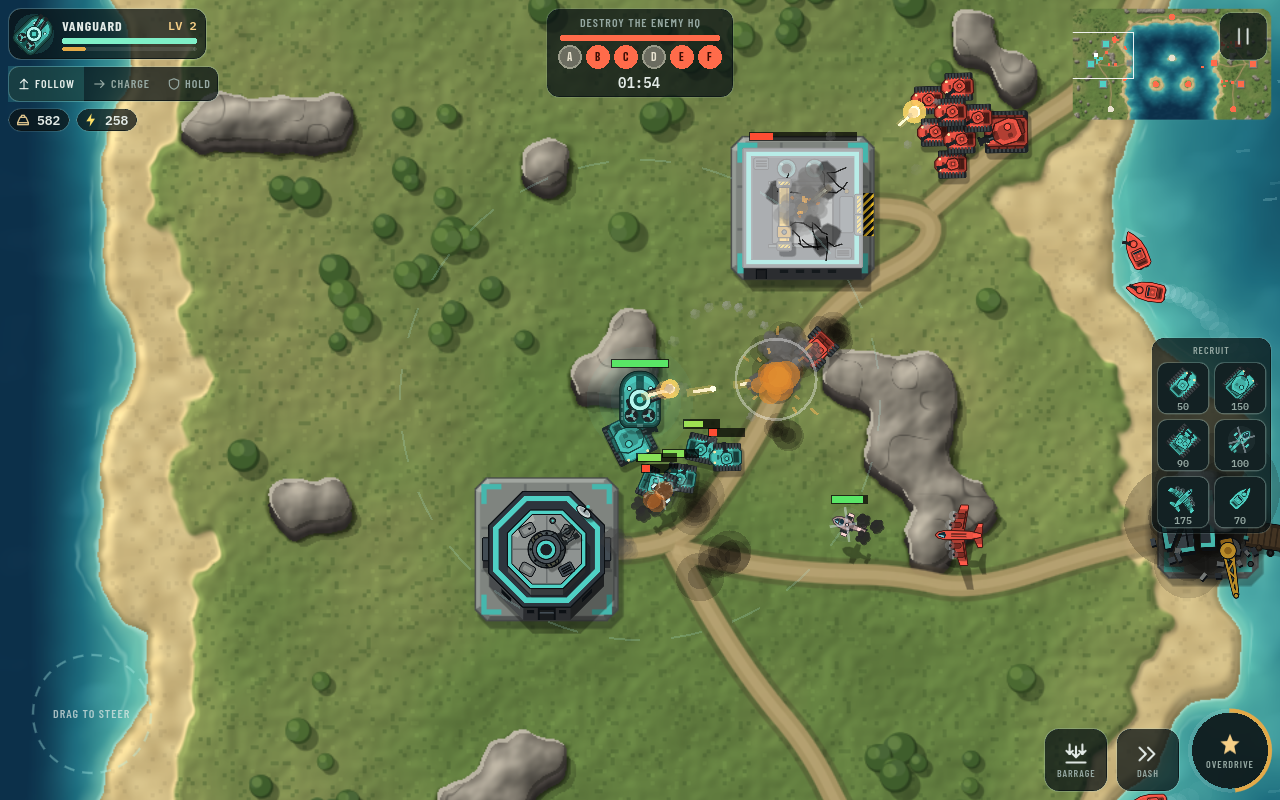
Drive the flagship
Steer the Vanguard with one thumb. It fires at the nearest enemy in range. Tap an enemy to turn every gun on it, dash through a line, call an artillery barrage onto the map and spend Overdrive when it is charged.
Bring an escort
Recruit Warhounds, Bulwarks, Flak Crawlers, Hornets, Condors and Skiffs during a match. Tell them to follow, charge ahead or hold where they stand. Escorts that score kills become veterans for the rest of the match.
Level up mid-battle
Kills earn the Vanguard experience. At each new level the match slows and you pick one of three upgrades, such as a faster fire rate, a shorter dash cooldown or repairs in combat.
Six sectors, one front
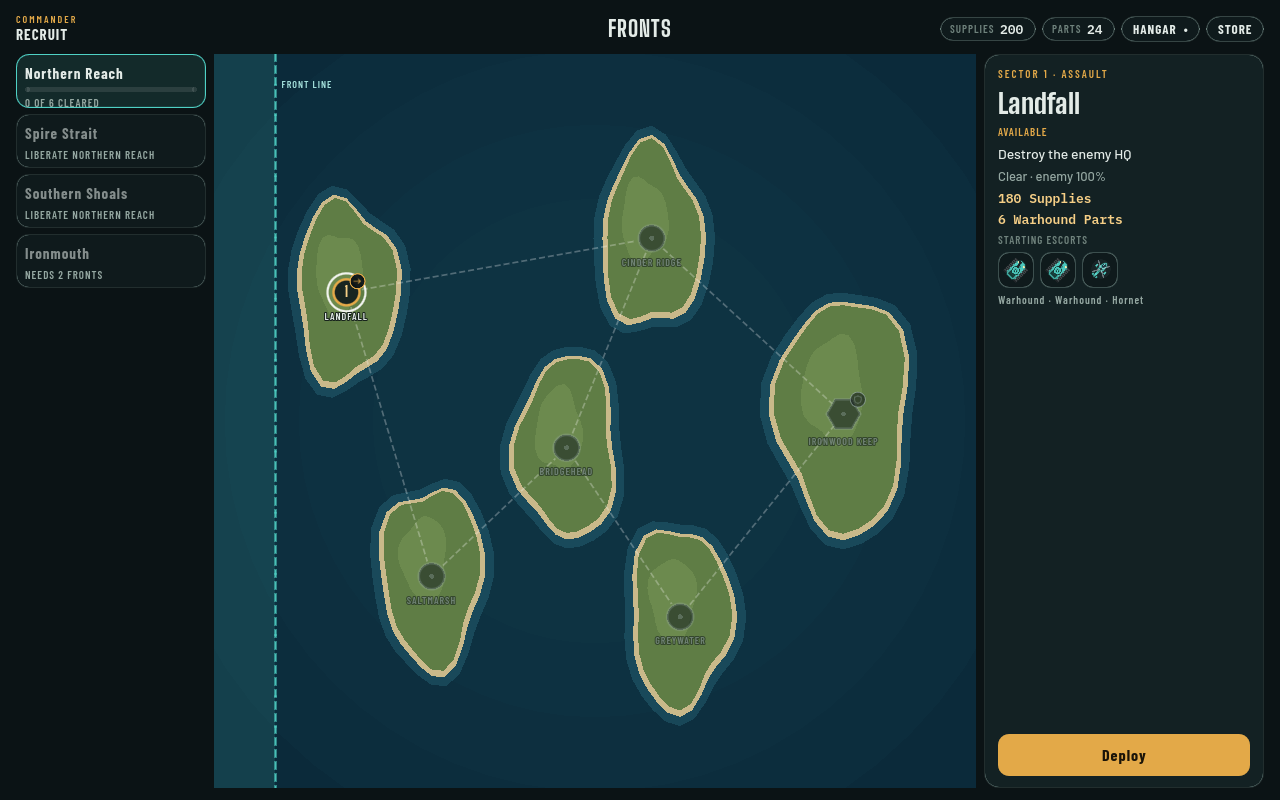
The Fronts map shows the Northern Reach and its six sectors. An Assault ends when the enemy headquarters falls, a Hold when you have kept enough derricks for long enough, and a Raid when two enemy buildings are destroyed and the Vanguard reaches Spire Isle. Winning a sector opens its neighbours and moves the front line. The enemy counter-attacks sectors you hold. Between matches, the Hangar spends the Supplies and Parts you earn on unit levels, modules and kits for the Vanguard.
Touch, mouse or keyboard
Tidefront plays in landscape, so turn a phone sideways. Drag anywhere on the left of the screen to steer, tap an enemy to focus fire, and use the buttons on the right for Dash, Barrage, Overdrive and recruits. A mouse works the same way, and the wheel zooms. On a keyboard, W, A, S and D or the arrow keys steer, Space dashes, B arms the barrage, Q starts Overdrive, 1, 2 and 3 set the escort stance and Esc pauses.
Your campaign, saved locally
Tidefront saves after every finished match and every change in the Hangar or the Store. Progress stays in your browser. There are no accounts, advertising, real-money purchases or gameplay reporting. Skins, wakes and banners are earned by clearing sectors and winning matches.